 |
|||||
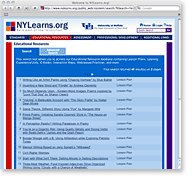
New Content Providers and PartnersLooking for new instructional resources to add to your portfolio? This summer we have focused on building content and resources across the curriculum to enhance the thousands of educational resources NYLearns currently offers. We have established several new partnerships with content providers in order to offer you more choices as you plan units and lessons for the school year. We have partnered with the Northern Nevada Writing Project, NNWP, a site of the National Writing Project, to bring lessons to you focusing on six traits writing and writing across the curriculum. These exemplary lessons include step-by-step procedures and hand-outs for students, such as graphic organizers and pre-writing activities, for easy implementation in the classroom. The various lessons from NNWP utilize picture books, chapter books, and other pieces of literature that can be used in all content areas. Do a keyword search in Educational Resources using NWP and check out these wonderful lessons, or click here. If you teach Latin, Global History, or have an interest in Ancient Rome, be sure to review our content from De Imperatoribus Romanis: An Online Encyclopedia of Roman Rulers and Their Families using the keyword DIR or Roman Emperors. Here you will find links to an online encyclopedia on the rulers of the Roman Empire from Augustus (27 BC-AD 14) to Constantine XI Palaeologus (1449-1453), an ancient and medieval atlas, as well as a virtual catalogue of Roman coins. To view content from this provider, click here. Resources from Kinetic City, a production of the American Association for the Advancement of Science with support from the National Science Foundation, provides a collection of Science experiments, include games, and projects for everyone to enjoy both online and away from the computer. To access these materials, search for Kinetic City or click here and find materials designed for students in grades 3-6 that focus on science concepts. Math Open Reference is an interactive math textbook for high school geometry that teachers and students can use in the classroom or at home. There are interactive tools, compelling animations, and tutorials for geometry. Search for Math Open Reference or click here and explore the possibilities. If you have English Language Learners or English as a Second Language students in your class, be sure to search for Lanternfish. Lanternfish, formerly Boggles World ESL, has joined us in offering instructional content, worksheets, activities, and flashcards for ESL and TEFL teachers. To review the content from Lanternfish, click here. Primary teachers will love the web-based resources provided by Starfall. Starfall has games and printer-friendly activity worksheets to help prepare students for reading and to inspire a love of reading and writing. Search and review the content by entering Starfall into the keyword search, or click here. We are focusing our efforts to providing teachers across New York State with exceptional resources that can be implemented in the classroom. If you have a favorite website or organization that has instructional content that you would like to see available in NYLearns.org, please make a suggestion at Contact Us. We hope you will peruse the new content and find many resources that will engage your students in learning. To browse a compendium of content providers and partners, click here. |
|||||
 |
|||||
|
|||||
|
NYLearns.org 737 Main Street, Suite 150, Buffalo, NY 14203 | phone: 1.800.590.6126 | e-mail: helpdesk@nylearns.org ©2008 University at Buffalo. All rights reserved. |